Search with structure
How to search and organize matrimonial profiles without wasting hours
Use detailed filters, radius-based search, sorting, shortlists and private notes to keep a family search manageable.
The short answer
Direct answer
Famintro helps families narrow profile searches using criteria such as age, height, location, profession, marital status, distance and Manglik status. Results can be sorted, promising profiles shortlisted and private notes recorded, reducing the need for scattered spreadsheets, screenshots and message threads.
Inside Famintro
See the feature in the actual app
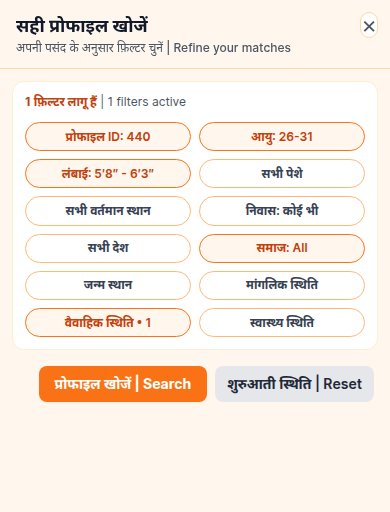
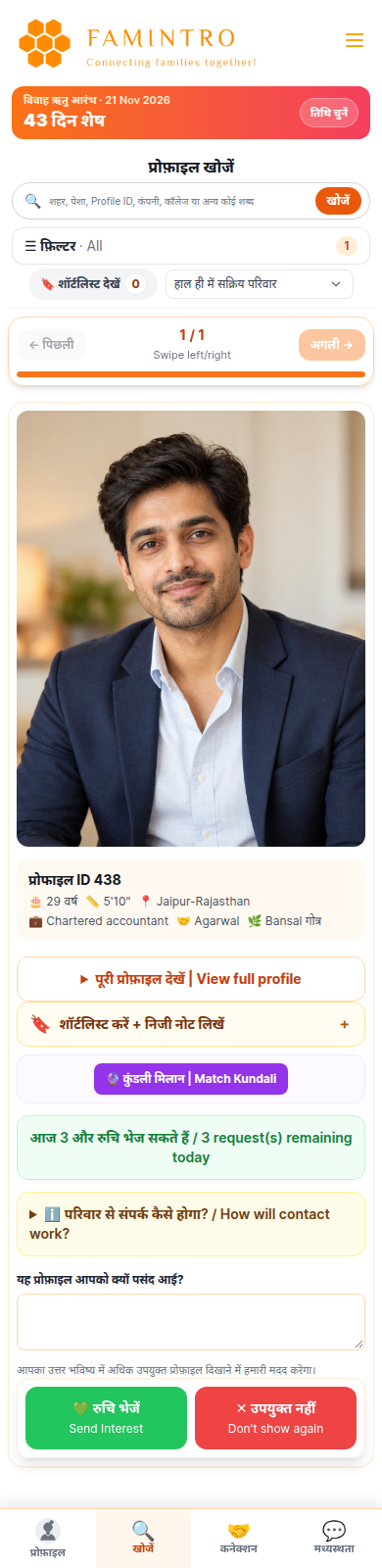
Filters reduce repetitive screening
The useful question is not how many profiles a platform contains, but how efficiently a family can find relevant ones. Adjustable filters help narrow a broad result set or relax criteria when a search has become unnecessarily restrictive.
Keep family research organized
A shortlist preserves promising possibilities. Personal notes can capture what stood out, questions to ask and whether follow-up is needed. Notes are organizational aids for authorized family members, not comments shown to the profile being reviewed.
People are more than filters
Search criteria help manage information; they do not measure personal compatibility. Families benefit from separating essential circumstances from flexible preferences and revisiting assumptions that may exclude a suitable person.
Common questions
Frequently asked questions
Which matrimonial search filters are available?
Available criteria include age, height, location, profession, marital status, radius or distance, Manglik status and other profile attributes.
Can families save profiles for later?
Yes. Relevant profiles can be shortlisted and revisited.
Can other candidates see personal notes?
No. Personal notes are intended as private organizational information for authorized family members.